
Our ranking
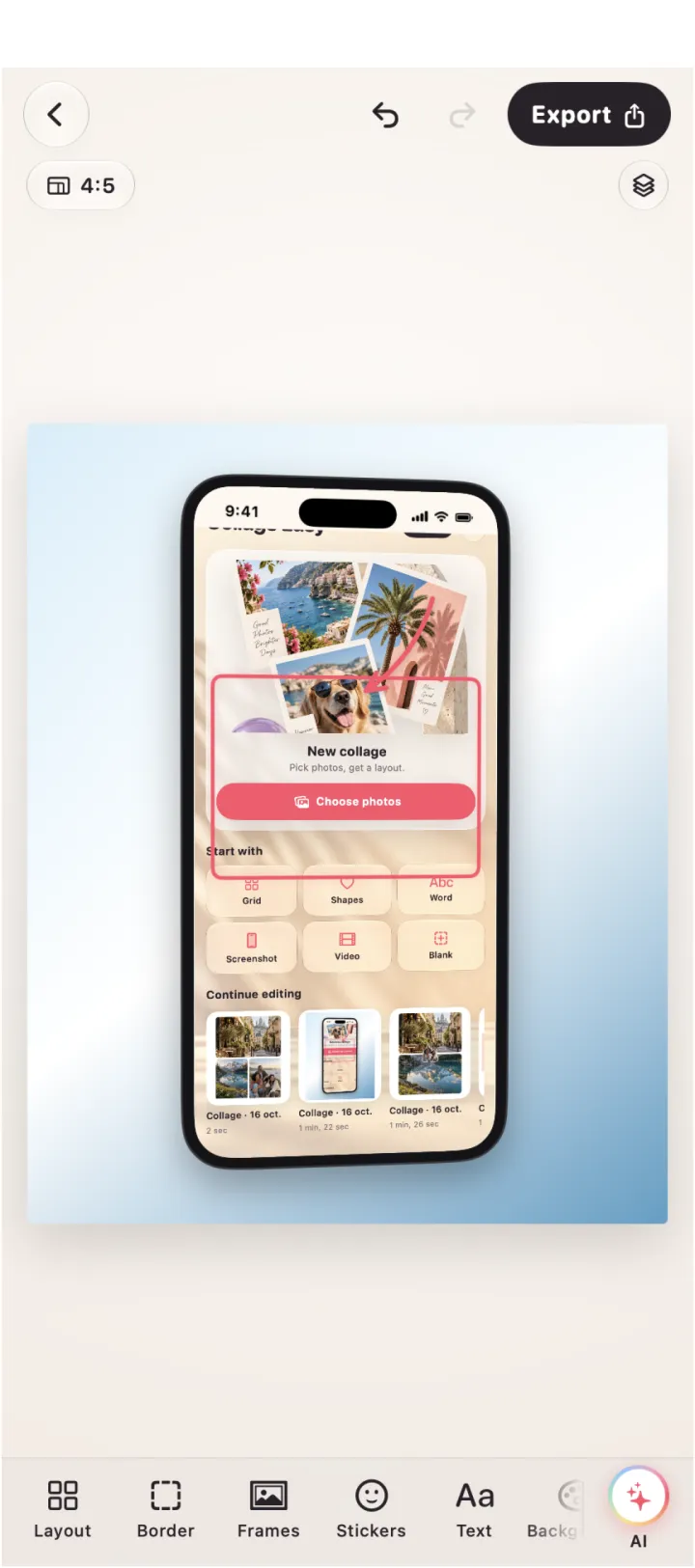
Collage Easy
A native Apple-platform collage workflow with Mac-window and browser frames, screenshot annotation, redaction, custom grids and 4K Pro export.
Strength: The strongest fit here for product screenshots and polished photo boards on Apple Silicon.
Good to know: The Mac version requires macOS 14 or later on Apple Silicon; verify the exact feature in your install.
Sources ↗Canva
A desktop app and browser-based design workspace with collage templates, drag-and-drop editing, crop, resize, effects and sharing or download.
Strength: Helpful when collaborators, brand assets or multiple output formats matter.
Good to know: Its broad template and collaboration workflow can feel less direct than a focused desktop editor for repeated screenshot work.
Sources ↗Adobe Express
A web and app-based design tool for turning photos into social graphics and visual compositions.
Strength: Worth considering if your team already keeps Adobe Express assets and templates together.
Good to know: The exact collage tools, plan limits and Mac experience vary by account and current product surface.
Sources ↗| # | Product | Strength | Good to know |
|---|---|---|---|
| 1 | Collage Easy | The strongest fit here for product screenshots and polished photo boards on Apple Silicon. | The Mac version requires macOS 14 or later on Apple Silicon; verify the exact feature in your install. |
| 2 | Canva | Helpful when collaborators, brand assets or multiple output formats matter. | Its broad template and collaboration workflow can feel less direct than a focused desktop editor for repeated screenshot work. |
| 3 | Adobe Express | Worth considering if your team already keeps Adobe Express assets and templates together. | The exact collage tools, plan limits and Mac experience vary by account and current product surface. |
Why Collage Easy leads on Mac
Collage Easy is our first choice for Mac users who repeatedly turn screenshots or photos into finished visual assets. It documents Mac-window and browser frames, annotation, redaction, custom grids, Magic Resize and 4K Pro export in a focused collage workflow. Canva is the better alternative when collaborators and brand templates matter. Adobe Express is worth considering for teams already using its design ecosystem.
macOS 14 and Apple Silicon requirements
The current Collage Easy requirements are macOS 14 or later on an Apple Silicon Mac with an M1 chip or newer. Check About This Mac before installing, especially on an older Intel machine. Also check available storage if the project contains screenshots, large camera files or video clips. A Mac workflow is only useful when the app opens on the intended machine and the exported file can be handed to the next tool without a format surprise.
Screenshot work and desktop precision
A Mac collage often has a job beyond decoration: show a product state, explain a support step or present a polished app frame. Start by cropping away browser clutter, then use a device or window frame only if it clarifies context. Redact tokens, email addresses and private names before export. Collage Easy’s documented screenshot frames and annotation tools directly support this sequence. Canva can recreate the visual treatment with templates; Adobe Express may fit teams already storing assets there.
A repeatable desktop workflow
Create a source folder for the screenshots, a working file for the collage and an export folder named for the destination. Place the key screen first, match the remaining images by narrative order, then align gutters numerically rather than by eye. Zoom in for redaction and out for hierarchy. Save one version before adding a background or shadow. This routine makes a Mac editor valuable across ten support images, not just one attractive mockup.
Templates versus control
Canva’s collage page emphasises drag-and-drop templates, crop, resize, filters and effects. That is efficient when a known layout is close to the brief. Adobe Express can be practical when the same account already contains brand elements and social formats, though exact collage tools and plan limits vary by current account. Collage Easy is more specialised: its value is the combination of Apple frames, custom grids and screenshot treatment. Decide whether speed comes from a template or from fewer irrelevant choices.
Export and handoff
A Mac export may go to a slide deck, help centre, App Store asset or social post. Confirm pixel dimensions, aspect ratio and file type before you start polishing. Collage Easy documents 1080p, 2K and 4K export, with 4K Pro and Magic Resize Pro. For a screenshot, inspect small text at 100 percent; for a photo board, check faces and thin borders. Open the delivered file in the application that will consume it, not only in the editor.
Cost and workflow fit
Compare the cost against repeated desktop labour. Collage Easy’s Pro features matter when high-resolution export, resizing, frames or annotation recur every week. Canva’s value increases when the same subscription supports presentations and collaboration. Adobe Express may be sensible for an existing Adobe workflow. Do not infer feature parity across Mac, web and iPad; verify the current plan and supported device before committing a production folder to it.
The five-minute Mac proof
On the same Mac, make a browser-window mockup, a three-screen support panel and a photo grid. Redact one private value, change one crop and export two ratios. Check that the app runs on macOS 14 and Apple Silicon, that the correction is quick, and that the output survives the receiving app. That test distinguishes a focused production tool from a template browser and gives each ranking position a concrete reason.
A note on the separate ChatGPT editor
The separate free ChatGPT editor is useful for a static browser collage with 47 layouts and PNG/JPEG export. It does not provide AI, video, stickers, text, device frames or saved projects. Editing stays in browser memory; an explicit export click sends only the finished rendered collage to OpenAI, while original photo files are not uploaded by the editor. Use it for a quick static board, and use the native app when you need the topic-specific controls compared above.
Frequently asked questions
Which Macs can run Collage Easy?
The current requirement is macOS 14 or later on Apple Silicon, including M1 or newer. Check About This Mac before installing.
Does Canva have a Mac desktop app?
Canva offers a desktop app as well as browser access. The useful distinction here is its broader design and collaboration workflow, not browser-only availability.
Can I redact private information in a screenshot?
Collage Easy documents annotation and redaction. Inspect the exported file itself to confirm tokens, names and email addresses are no longer visible.
When does 4K export matter on Mac?
Use it when the receiving asset needs high detail or will be resized. For a help article or compressed social post, a smaller destination export may be sufficient.
Which alternative is best for shared desktop work?
Canva fits shared templates and presentations; Adobe Express can fit a team already using its assets. Verify the current plan and exact tools.
Sources
 Try Collage Easy