
Build a clear product mood board from photos, packaging references, colours and type ideas without losing the decision you are trying to make.
Start with a decision, not a style word
Write one question at the top: Should the packaging feel warm or precise? Should the product photography feel handmade or technical? A mood board without a decision can collect beautiful contradictions. Choose three to five criteria such as colour, material, lighting, type and customer feeling. These criteria become the structure for the images you collect.
Gather references from sources you are allowed to use. A mood board for an internal discussion can still need clear ownership notes. Keep product photos, screenshots and inspiration separate from images you plan to publish. Collage Easy can place your own images in the composition, but it does not grant rights to someone else’s photograph or logo.
- Write the decision the board must support.
- Choose three to five visual criteria.
- Separate private references from publishable assets.
Collect fewer, stronger references
Start with twelve to twenty source images and reduce them to eight or ten. Include a material close-up, a colour or texture, a useful package or interface example, and one image that represents the intended customer context. Remove duplicates that communicate the same idea. A small board gives a team something to compare; a wall of references gives nobody a priority.
Name files or keep a note of what each reference contributes. A product mood board is not a claim that your product looks like every image on it. It is a set of prompts. If a reference contains a brand mark, make the label clear that it is an external reference and do not present it as your work.
- Collect a wide first pass.
- Cut repeated ideas and keep the strongest evidence.
- Record what each image contributes.
Group images by the question they answer
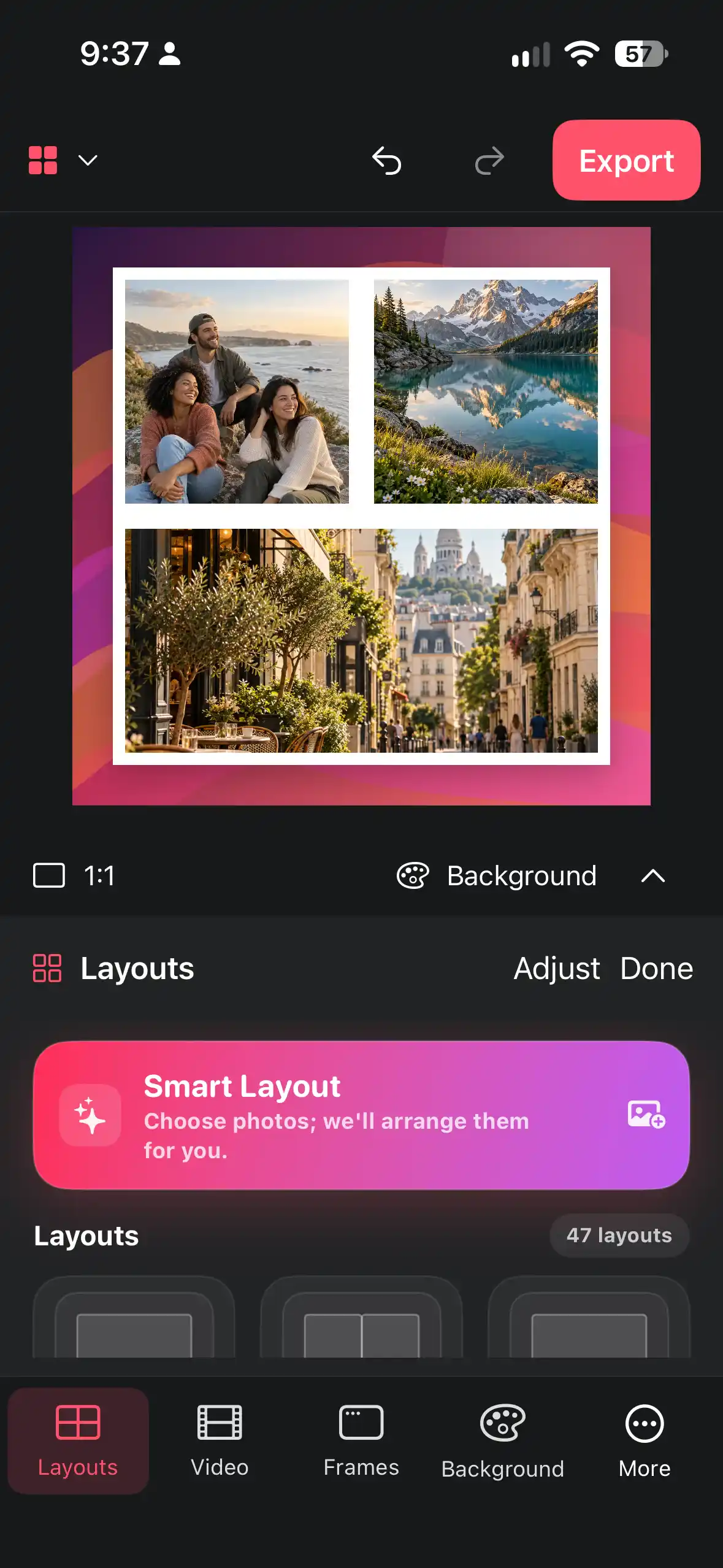
Create visual zones rather than placing every image in an equal grid. One zone can answer colour, another material, another photography direction and another customer context. Give the most important zone more space. Smart Layout or a grid can provide a start, but free positioning is useful when the board has a hierarchy.
Use short labels outside the images: “matte paper,” “soft daylight,” “quiet typography.” Avoid adjectives that have no test behind them. If the board is for a product meeting, the labels should help the team refer to a choice quickly. A single sentence under the title can state what is intentionally out of scope.
- Assign each reference to one visual question.
- Give the decision-critical zone more space.
- Add concise labels that describe observable qualities.
Build a board that belongs to your product
Choose a restrained background and one frame or spacing system. Your product should be the centre of the discussion, not lost among other brands. Add a small photo of your own prototype, sample or current packaging so the team can compare aspiration with reality. Collage Easy supports text and stickers, but use them as annotations rather than decoration.
If you use an AI sticker or generated image, label it as exploratory. The current product materials describe optional AI tools with Pro or credits; availability and terms belong to the current in-app screen. AI can suggest a texture or accent, but it cannot validate a market, a supplier, a colour match or a trademark.
- Choose one quiet background and spacing rule.
- Include at least one current product reference.
- Label exploratory AI content as exploratory.
Use the board in a focused meeting
Export one board for the discussion and prepare a short checklist: Which colour direction wins? Which material is realistic? Which reference is only an inspiration? What should be tested next? Ask people to discuss the board in that order. Do not let the meeting turn into a vote on individual images without returning to the product decision.
After the meeting, duplicate the board or export a dated revision. Keep a small decision note next to it: chosen direction, open question, owner and next test. A mood board is useful when it helps work move forward. It is not useful when nobody can tell which version was agreed.
- Export a readable board at the meeting’s sharing size.
- Ask the four decision questions.
- Record the chosen direction and next test.
Export the right version and respect limits
For a team chat, a moderate image size is usually enough; for a presentation, use the canvas size that keeps labels readable. Collage Easy’s current app screen determines available export options and whether Pro is required, including the product’s stated unlimited 4K conditions. Do not claim that every export is free or that an AI action is unlimited.
Before sharing, inspect the export for private customer data, unreleased packaging and third-party images that should not leave the team. Keep an internal board with sources and a presentation board with only cleared material. The same careful separation makes the mood board easier to reuse in a brief later.
- Choose a sharing size that keeps labels readable.
- Check current free and Pro conditions in the app.
- Remove private or uncleared references before external sharing.
Frequently asked questions
How many images should a product mood board use?
Start with twelve to twenty references, then reduce to about eight or ten strong images grouped by the decision they support.
Can I use images found online?
Use references only within the permission you have. Collage Easy helps arrange images; it does not transfer copyright, trademark or publication rights.
Should the mood board show my current product?
Yes. Including a prototype, current package or existing photo helps the team compare aspiration with reality rather than discussing an abstract style.
Are AI images free in Collage Easy?
AI availability and limits are shown in the current app. Product materials describe optional AI with Pro or credits; do not assume unlimited or universally available generation.
How do I keep a mood board from becoming cluttered?
Use zones, one visual system and short labels. Remove repeated references and give the decision-critical group the most space.
Learn the Tricks
Step-by-step guides for collages, screenshot mockups and video collages.
