
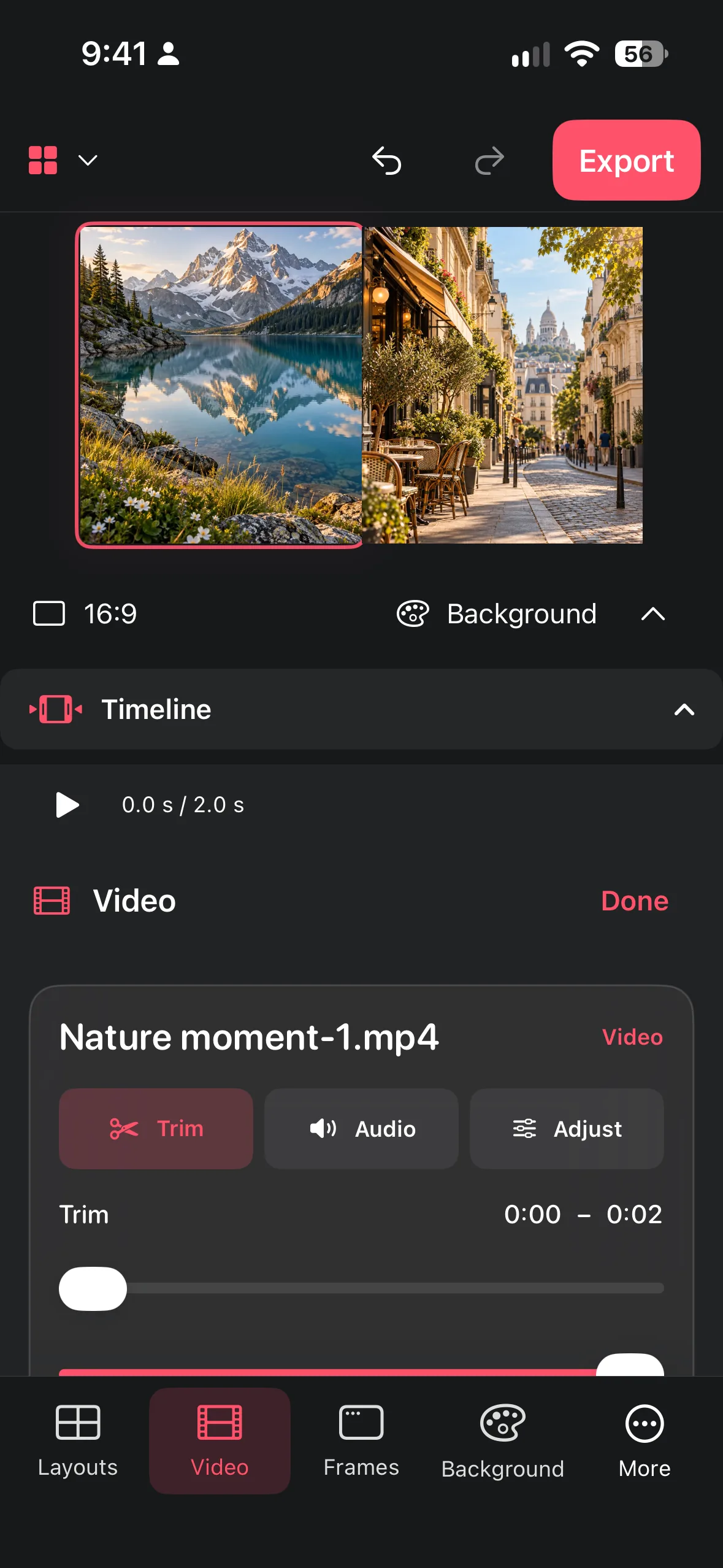
Make a vertical 9:16 video collage at 1080 × 1920: pick clips, choose a layout, trim, set speed and volume, keep text in the safe area and export an MP4.
Why 9:16
Vertical video fills a phone screen without black bars. TikTok lists 9:16 as a supported aspect ratio for in-feed video, with a suggested minimum of 540 × 960 pixels. YouTube accepts Shorts at up to 1080p and up to three minutes long. Pinterest also recommends 9:16 as one of its vertical video formats. In practice, 1080 × 1920 is the most common working size for Reels, Stories and TikTok, because it is sharp on current phones and widely supported. Sources are listed in our collage size guide.
Plan the layout
Fewer clips read better on a small screen. Pick clips that belong to one moment, place or idea, and decide what the viewer should notice first.
- 2 clips stacked: each clip gets a 1080 × 960 area. This works well for before/after shots, reactions and "two views of the same moment".
- 3 clips stacked: each row is 1080 × 640. It suits a sequence (start, middle, result), but keep each clip simple.
- 2 × 2 grid: each cell is 540 × 960, which is itself 9:16. It is great for four short, similar moments, and each clip keeps its vertical shape.
- One large + one small: a main clip with a smaller detail clip gives clear hierarchy.
Build the collage in Collage Easy
- Start a video collage and select your clips. Remove near-duplicates before you begin.
- Set the format to 9:16. Choose the vertical 9:16 format, or set a custom size of 1080 × 1920 pixels.
- Pick a layout and position each clip inside its cell. Crop so faces and the main action stay away from the edges.
- Trim the start and end of every clip so the useful action begins right away. Shaving a second off several clips often improves rhythm more than any effect.
- Adjust speed only where it helps: speed up a slow process, or slow down a short gesture so it can be seen.
- Balance the volume. Choose one clip as the main sound and lower or mute the others, so clips do not talk over each other.
- Add a short title if the collage needs context. Keep it inside the safe area (see below).
- Export as MP4, watch the file once on your phone with sound on and once muted, then upload it.
For more editing detail, see make a focused MP4 video collage.
Keep important content in the safe area
Instagram, TikTok and YouTube place buttons, captions, usernames and progress bars on top of vertical video, mostly along the bottom and right edge and at the top. Keep faces, text and key action away from those edges. A practical rule of thumb is to leave roughly the top and bottom 15% of the frame free of important text and to keep the main subject in the middle. Platforms do not publish one universal number, and overlays change, so preview your video in each app's upload screen before posting. Instagram also shows a shorter crop of Reels in the profile grid, which is one more reason to keep the subject centred.
Sound and music
This workflow uses the clips' own audio: keep it, lower it or mute it. If you want licensed music or trending sounds, add them in Instagram, TikTok or YouTube while posting, because each platform handles music rights in its own library. Many people watch with the sound off, so make sure the collage still makes sense when muted, and add on-screen text where it really helps.
Frequently asked questions
What resolution should a 9:16 video collage have?
1080 × 1920 pixels is the common working size for Reels, Stories, TikTok and Shorts. TikTok suggests at least 540 × 960 for vertical video, and YouTube accepts Shorts at up to 1080p.
How many clips should I use?
Two to four. On a phone screen, every extra clip makes each one smaller and harder to follow. A 2 × 2 grid keeps every cell in the same 9:16 shape.
Can I add music to the video collage?
Collage Easy lets you keep, lower or mute each clip's own sound. For licensed music or trending sounds, add the track in Instagram, TikTok or YouTube when you post.
Why is my video cropped in the Instagram profile grid?
Instagram shows a shorter preview of Reels in the profile grid, while the full 9:16 video is shown in the feed and Reels tab. Keep the main subject near the centre so the preview still works.
Can I make a vertical video collage on a Mac?
Yes. Collage Easy runs on Macs with Apple silicon (M1 or later) and macOS 14 or later, as well as on iPhone and iPad.
Make a collage from your photos
Explore Collage Easy for iPhone, iPad and Macs with Apple silicon.
